
Car electronics.
Simple upgrades
for everyday driving.
Based on manufacturer information and published buying guides. We have not tested these products ourselves.
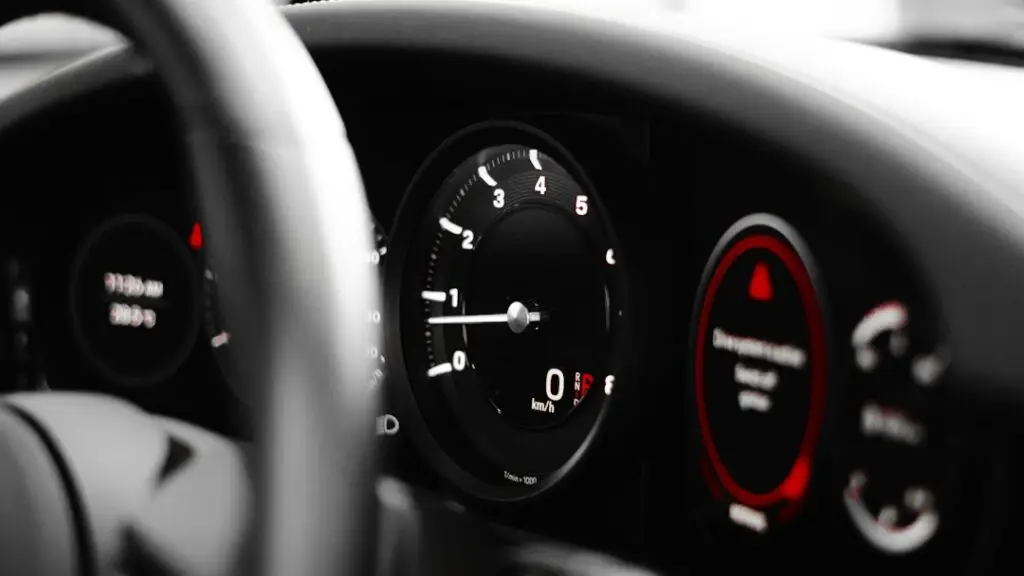
What car electronics are worth considering?
Six useful types of car electronics.
CarPlay & Android Auto
What it does: puts supported phone apps, such as maps and music, on a compatible car display.
Good for: drivers who want to use their phone through the dashboard.
Check first: your phone, car system and region support. A USB socket alone does not mean your car has CarPlay or Android Auto.
Dash cams
What it does: saves video while you drive. Some models also support parking recording with the right power supply.
Good for: keeping a record of road events.
Check first: front, rear and inside views, night footage, memory card support and parking power.
USB car chargers
What it does: charges a phone or other supported device from the car’s power socket.
Good for: long trips or cars with slow built-in USB charging.
Check first: USB-C or USB-A, power for each port, your device’s charging needs and the right cable. One phone may not need a high-power multi-port model.
In-dash car stereos
What it does: replaces the car’s existing radio or display. Features vary by model.
Good for: adding a built-in screen, phone support or new audio controls.
Check first: dashboard fit, wiring, factory amplifier support and steering-wheel controls. Count the fitting kit and installation cost too.
Backup cameras
What it does: shows a live view behind the car on a suitable screen.
Good for: seeing the space behind you while parking.
Check first: screen and camera compatibility, mounting, power and cable routing. A reversing view does not automatically save video like a dash cam.
Bluetooth & FM audio
What it does: sends phone audio to an older car stereo. An AUX receiver needs an audio input; an FM transmitter uses the radio.
Good for: adding music or calls without changing the stereo.
Check first: AUX input or FM support, power and call controls. Check your existing Bluetooth features before buying another adapter.
Do you need an adapter, a screen or a stereo?
Already wireless?
Check whether your car already starts wireless CarPlay or Android Auto. If it works with your phone, you may already have the feature you want.
Start with: the car’s own pairing instructions.
Works with a cable?
A matching wireless adapter can make a supported wired connection wireless. First connect your phone directly to the car’s data USB port and check that CarPlay or Android Auto starts.
Start with: the adapter’s car and phone compatibility list.
No phone display?
A portable screen provides its own display. A replacement stereo can add a screen in the dashboard. For a portable unit, check how sound reaches your car speakers: AUX, FM or supported Bluetooth.
Start with: mounting space, audio connection and total fitting cost.
Four product examples to compare.
AAWireless TWO+
Listed features: wireless CarPlay and Android Auto, with a button for pairing and switching phones.
Consider it if: your car already has the matching wired-only system.
Check: the maker lists Android 11 or newer and iPhone X or newer. Confirm the exact car and phone combination.
Anker Nano 167.5W
Listed features: three charging ports, with up to 100W on USB-C1 and 45W on USB-C2.
Consider it if: you need to charge several supported devices.
Check: each device’s power needs, the cable and the car socket. The 167.5W total rating is not the power of every port.
Sony XAV-AX6000
Listed features: wireless Apple CarPlay and Android Auto, plus an input for an optional rear camera.
Consider it if: you want to replace the existing stereo.
Check: fit and wiring before ordering. Camera, fitting parts and adapters can add to the cost.
VIOFO A329S 3CH
Listed recording: 4K front, 2K rear and 2K inside the car in the three-camera setup.
Consider it if: you need all three views.
Check: the 3CH bundle, a supported memory card and parking-power accessories.
Official VIOFO information · Our dash cam guide and review videos
Five checks before you buy.
1. Write down the exact car and phone.
2. Check the connection.
3. Add the missing parts.
4. Read the limitations.
5. Check support and returns.
Car Electronics FAQ
Will these devices work with any car?
Does a wireless adapter add CarPlay to any car?
Can I use one adapter for iPhone and Android?
Do I need a new stereo to use Bluetooth music?
Is a backup camera the same as a dash cam?
Will a higher-watt charger always charge my phone faster?
What extra parts should I budget for?
Which upgrade should I buy first?
Sources and how we made this guide.
- Apple: connecting to your car · Google: Android Auto requirements
- AAWireless TWO+ specifications and compatibility
- Anker Nano car charger specifications
- Sony: rear-camera connection and display
- VIOFO A329S 3CH specifications
- Carpuride: portable-screen audio connections
- Belkin: Bluetooth AUX audio · Bluetooth FM audio