
Best Dash Cams for Cars: Three Multi-Camera Options Compared
Choose a dash cam by the views you need to record and how you will power it. The VIOFO A329S 3CH, Vantrue N4 Pro S and 70mai T800 are three current multi-camera examples to compare.
Research-based comparison · Updated October 2, 2026. We have not personally tested these products. For setup, use and a broader checklist, read the complete guide.
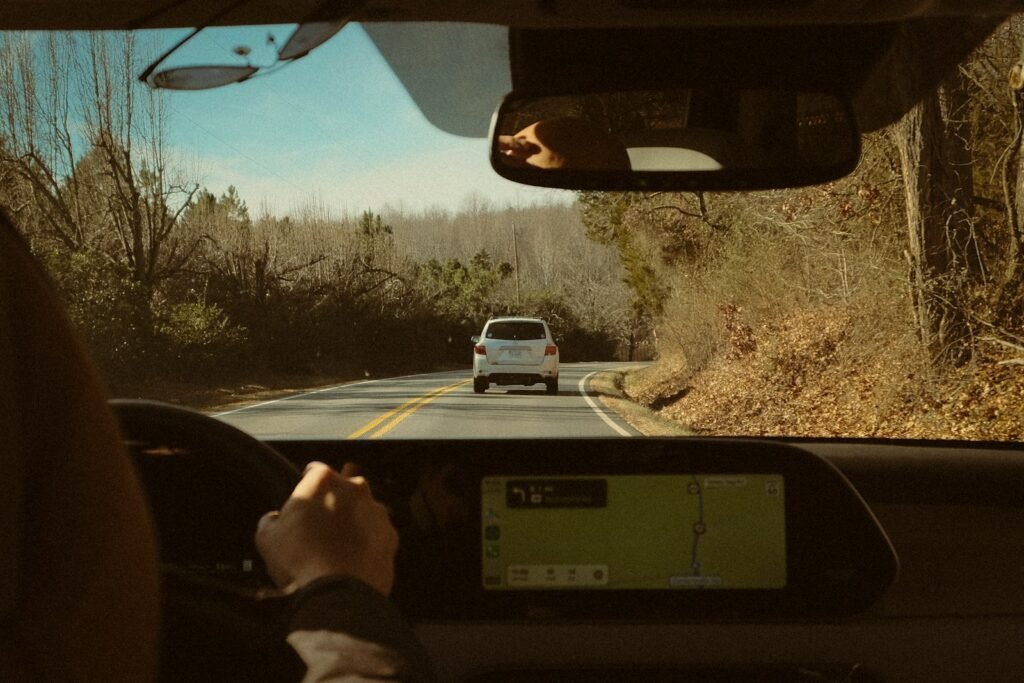
Illustrative driving photograph, not dash cam footage. Photo: fruitfullmedia / Unsplash.
Quick shortlist
Consider the VIOFO A329S 3CH if cabin coverage and its storage options fit your needs. Compare the Vantrue N4 Pro S if you want another front, cabin and rear setup. Check the 70mai T800 if its app, installation and parking-power arrangement suit your car. None of these is a universal winner.
If you only need a simple record of the road ahead, a front-only camera can be a more suitable starting point. Extra cameras add wiring, storage use and installation work.
VIOFO A329S 3CH
The manufacturer’s current listing describes 4K front, 2K cabin and 2K rear recording. Its wide cabin view and infrared interior camera make it worth considering when passenger coverage matters. The official page also describes Wi-Fi, GPS and storage features.
Plan the whole setup: the correct memory card, rear cable length and a compatible power kit if you want engine-off recording. Manufacturer sample images and headline resolutions do not prove that every moving plate will be readable.
Vantrue N4 Pro S
Vantrue lists the N4 Pro S as a three-channel camera with front, interior and rear views. Compare the current package and app features with the VIOFO rather than assuming that a similar camera count gives identical footage.
Check the exact rear-camera cable, memory-card requirement and parking power accessories in the package you plan to buy. Some seller bundles include accessories that the base listing does not.
70mai T800
The T800 is another multi-camera option listed by 70mai. It is useful to compare when you want coverage around and inside the vehicle, but the right choice also depends on the app and how you plan to download recordings.
Use the current regional product page to confirm camera configuration, compatible parking power hardware and included items. A product video from another creator helps illustrate operation; it is not our own test.
How to choose between them
Start with camera coverage. A rear view is useful for events behind the vehicle; an interior view is relevant when you need a cabin record. Decide whether that extra view is worth the wiring and storage it adds.
Put the views you need on a shortlist before comparing models. A front view, rear view and cabin view cover different parts of an event. Each additional camera also brings mounting, cable routing and recording-storage requirements. Check the complete configuration in the package you plan to buy rather than assuming every variant of a model has the same cameras.
For a fair footage comparison, look for the exact model and recording mode in the source. Note the lighting, movement and mounting position shown. A clip in one set of conditions demonstrates that example; it does not prove that every moving plate or interior detail will be readable in a different situation.
Next, check real daytime and night footage from the exact model and firmware where possible. Motion, glare, weather and mounting position affect detail, so a 4K label alone cannot settle a comparison.
Keep notes about what each sample actually demonstrates. Check the source, camera configuration and conditions before comparing sharpness or coverage. If a reviewer uses a different firmware version or accessory arrangement, record that difference. It is more useful to retain an unresolved question than to assume the sample proves the result you will get with another setup.
Finally, confirm the mount, cable reach, memory card, download process and parking power. Add every missing accessory and professional fitting, if needed, to the total cost. Check your local recording and privacy rules when recording passengers.
Compare complete working setups. Add the supported memory card, parking-power accessory, rear cable or fitting parts that are missing from a base listing. Decide how you will save and retrieve a useful recording, and read the current manual for any connection or storage requirements.
If an installation or vehicle-specific requirement is unclear, ask the manufacturer or a suitable installer with the exact model and vehicle details. The broad dash cam guide helps organize those questions, while the article collection links to narrower camera and app topics. Confirm the current package and supported setup before ordering.
Common questions
Does 4K guarantee readable plates?
No. Resolution is one factor; movement, light, glare and placement also affect the image.
Will Wi-Fi let me watch my car from anywhere?
Ordinary dash cam Wi-Fi usually connects a nearby phone to the camera. Remote access needs the specific supported connection and service; do not assume it is included.
Will the camera keep recording after I switch the car off?
Only if the model, settings and power arrangement support it. Follow the manufacturer’s parking-mode instructions and battery protection requirements.
Where can I watch independent videos?
Our complete dash cam guide credits external review videos and links to their creators. Those videos are separate from our research-based comparison.
Sources and how this comparison was prepared
We checked the manufacturer pages and relevant instructions linked below. Fit suggestions are our interpretation of those features, not measured test rankings. Confirm the current version and package before purchase.