
Garmin Dash Cam Live Review: Features and Subscription Costs
Research checked October 11, 2026. This Garmin Dash Cam Live review draws on Garmin documentation and attributed independent reviews. No first-hand road testing was performed for this article.
Quick Answer
Garmin Dash Cam Live suits drivers who want remote vehicle monitoring alongside everyday recording. Its 1440p camera includes LTE connectivity, but remote cellular features need a paid subscription, coverage, and power. Choose it for connected convenience; compare alternatives if your priorities are rear coverage, 4K footage, or avoiding monthly fees.
Key Takeaways
- ✓ Records the road ahead at 1440p and up to 30 frames per second, with a 140-degree field of view.
- ✓ Built-in LTE enables remote access without relying on the car being near your home Wi-Fi.
- ✓ Local recording works without an LTE plan; cellular monitoring requires an active subscription and coverage.
- ✓ Extended monitoring while parked needs a suitable constant power source, which may cost extra.
- ✓ The single-camera design and ongoing fees make it a considered purchase rather than an obvious choice for every driver.
What Is Garmin Dash Cam Live?
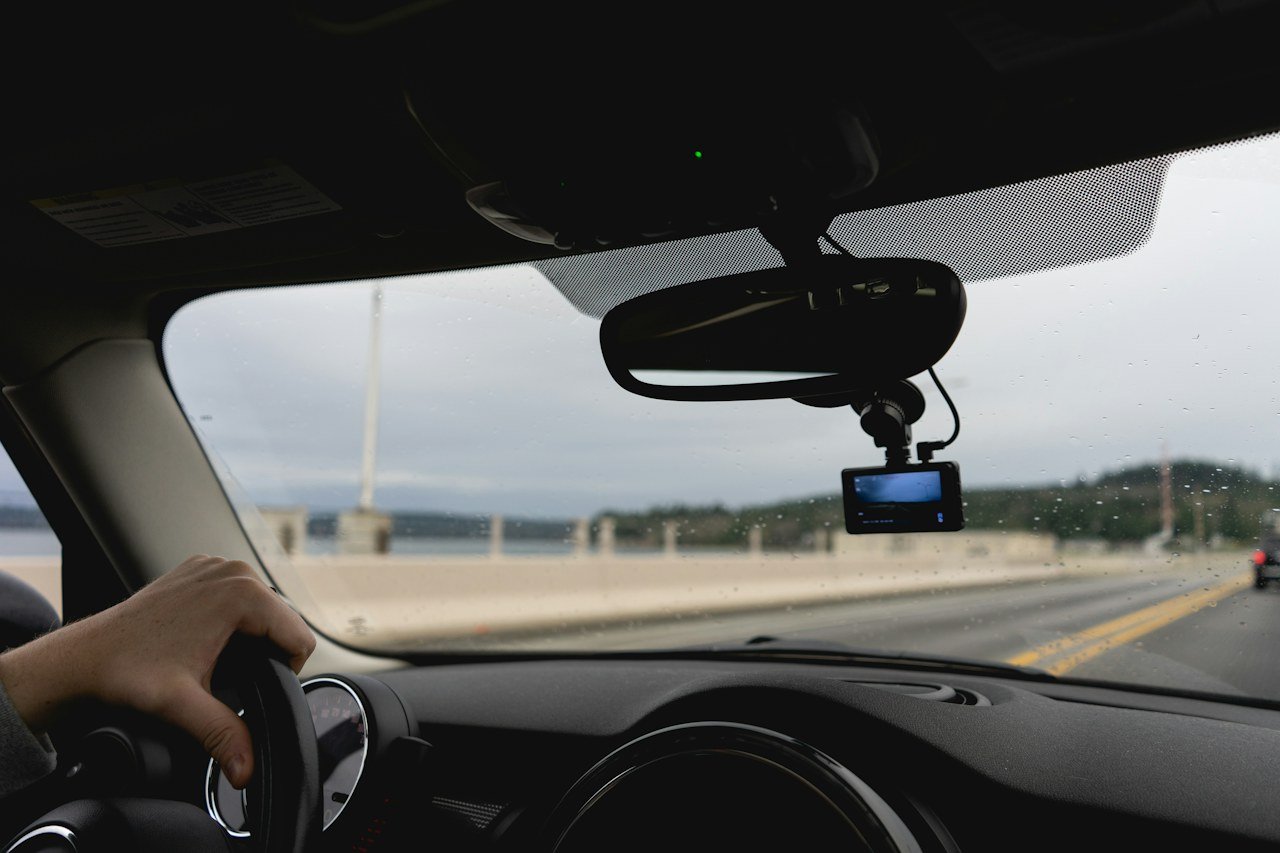
Garmin Dash Cam Live is a windshield-mounted dash camera with a built-in cellular connection. It records driving footage locally and can provide remote access through the Garmin Drive smartphone app. The camera combines ordinary incident recording with features that help you check on a vehicle after you have walked away.
The distinction matters. A conventional dash cam may let you review clips when you return to the car. An LTE dash cam can communicate while you are elsewhere, provided the camera remains powered and has service. You do not need to keep your own phone inside the vehicle to supply a hotspot.
Garmin lists a roughly 3-inch color display, GPS, voice control, and a preinstalled 16GB microSD card. Maximum recording resolution is 1440p, not 4K. The official product specifications confirm these details; specifications for the Mini 3 and X Series should not be applied to the Live model.
For example, a driver who parks at a commuter station could open the app during the day to check the view ahead of the car. That is a practical use of the connected features. It does not give the camera a view of every side of the vehicle, and an obstructed lens remains an obstructed lens.
Why Consider This Connected Dash Cam
The strongest reason to consider Garmin Dash Cam Live is the combination of driving footage and access from a distance. If you park in public lots, share a family vehicle, or regularly leave your car away from home, those functions may be useful often enough to justify the additional expense.
Start with your own parking routine. A car left beside a house with reliable Wi-Fi has different needs from one left in changing locations. LTE becomes more valuable when the camera cannot depend on a familiar internet-connected network. It becomes less valuable if you only want to retrieve a clip after a drive.
There is also a practical question about ownership: will you maintain the subscription after the first few months? Buying a connected camera and then abandoning its cellular service leaves you paying for hardware whose main advantage you no longer use. Decide on that recurring cost before comparing purchase prices.
Remote alerts can help you notice a possible problem sooner, but they should support your existing security arrangements. Garmin’s LTE guidance explains that power, reception, and other factors affect reliability and notification timing. Treat these functions as useful information rather than a promise that every incident will be detected.
How It Works and Key Features Explained
Local Recording and Saved Clips
When Garmin Dash Cam Live turns on, it normally starts recording to its memory card. Once the card fills, older unsaved footage is replaced so recording can continue. Saving an important clip protects it from the normal unsaved-video deletion process, according to Garmin’s recording instructions.
That means an LTE subscription is not required for the core job of recording your journey. Cellular service adds remote functions; it does not turn local recording on. This is an important distinction for buyers who are weighing whether to subscribe immediately.
Do not assume every minute of every journey is permanently archived online. The local recording loop and saved clips in the Vault serve different purposes. If a clip matters, save it and export a separate copy before relying on an expiring cloud archive.
Video Quality in Daylight and at Night
The camera’s 1440p recording specification offers more pixels than 1080p, but readable detail also depends on lighting, movement, distance, and reflections. A resolution figure alone cannot guarantee that a moving license plate will be legible in a particular frame.
Published road tests offer useful context. PCWorld’s Jon L. Jacobi reported good daytime and nighttime captures, while noting some overexposure in brighter sun. Fast Car’s James Bowers found useful daytime detail but described greater difficulty reading signs and plates at night.
Those findings support a measured expectation: the footage can document a journey well, while small details remain dependent on conditions. They do not establish a universal result for every windshield, road, or weather situation. If nighttime plate recognition is your main concern, examine original sample clips from the exact models you are considering.
Mounting deserves attention too. A clean windshield and a view with fewer dashboard reflections can help the camera record the scene more clearly. An optional compatible polarizing filter may reduce reflections, but the Live model should not be described as having the newer X Series’ built-in polarizer.
LTE Uploads Are Different From Original Footage
One easily missed detail is the resolution of an uploaded clip. Garmin’s Wi-Fi and LTE comparison states that LTE uploads initially use 640 × 360 video at 30fps. When the camera connects to Wi-Fi, those clips can be replaced with the higher selected recording resolution, up to 2560 × 1440.
The practical implication is straightforward: a quick cellular preview is not the best file for examining fine details. For an important incident, retrieve the original recording or confirm that the higher-resolution upload is available. A soft-looking LTE clip does not, by itself, prove that the memory-card recording has the same quality.
Remote Live View
Live View lets you open the camera feed in Garmin Drive. Away from a suitable Wi-Fi network, the connected camera needs an active LTE plan and service. Extended access while parked also requires power after the ignition is off.
Garmin’s remote-access support page says remote Live View sessions last up to five minutes at a time and have no live audio. You can initiate another session afterward. These limits make the feature suitable for checking on a vehicle, rather than leaving a continuous audiovisual feed open all day.
Use the view for questions the camera can actually answer: is the vehicle still facing the expected direction, and what is visible ahead? It cannot show damage outside its field of view. An unavailable feed should prompt a check of power and connectivity before you assume the camera has failed.
Vehicle Location and Unidentified Driver Alerts
The location feature can show the vehicle’s last known position in Garmin Drive once you enable it. Garmin’s location instructions describe how the feature can help if you forget where you parked. Check the age of the location information before treating it as the vehicle’s position right now.
Unidentified Driver Alerts work differently. The camera can send an alert if the vehicle moves without your phone nearby, provided an active LTE subscription is in place. The feature instructions make clear that this is a supplemental monitoring function.
Consider a shared family car. If another authorized driver takes it without your phone, an alert could be expected. The system detects movement and phone proximity; it does not establish who is driving or prove that the vehicle has been stolen.
Parking Guard and Power After You Switch Off
Parking Guard records detected incidents while the vehicle is parked. A notification can reach your phone through internet-connected Wi-Fi or an active LTE connection, as described in Garmin’s Parking Guard manual. Cellular service is useful when the parking location has no suitable Wi-Fi.
The camera still needs energy. Many vehicle accessory sockets shut down with the ignition, so simply leaving the supplied charger plugged in may not support a full afternoon of monitoring. Check how your own vehicle behaves after it is locked and has been left for a while.
Garmin’s Constant Power Cable connects through the OBD-II port and can power compatible cameras after the vehicle is switched off. It is an optional accessory for the standard US package. A regional bundle or a review sample may include it, so check the exact listing rather than assuming every box contains the same accessories.
The quoted battery life of up to 30 minutes is not an overnight monitoring solution. Think of parked protection as a power-management task as well as a camera feature. If you leave a car unused for extended periods, choose a compatible installation with appropriate battery protection and get vehicle-specific advice when needed.
Voice Commands and Driver Awareness
Voice control can save a clip without making you reach for the camera. The Live model also offers forward-collision, lane-departure, and traffic-movement alerts. These functions may be useful if you want reminders alongside the video record.
Set them up while parked, then decide which alerts are useful on your routes. Their presence does not give the car automated braking or steering. Weather, visibility, and road conditions can affect camera-based warnings, and regional availability varies for red-light and speed-camera information.
Incident Messaging
With the required LTE plan and setup, Incident Messaging can send information to designated emergency contacts after a possible vehicle incident is detected. Enable the feature and enter the contacts in Garmin Drive before expecting it to operate.
There is an important limit: Garmin’s manual says the app does not contact emergency services on your behalf. It should not be presented as automatic dispatch of an ambulance or police response. Make sure your contacts understand what a notification means and how they should respond.
Garmin Dash Cam Live Subscription and Ownership Costs
The Garmin Dash Cam Live subscription deserves attention before purchase. Garmin currently describes a Standard LTE plan with seven-day storage and an Advanced LTE plan with 30-day storage on its LTE Vault plans page. Activation takes place in Garmin Drive.
The figures below use published US monthly prices from the launch period: $9.99 for Standard and $19.99 for Advanced. Garmin’s launch announcement established the $9.99 starting price, and Fast Car’s 2023 review reported both tiers. These are budgeting examples, not verified current in-app offers; confirm today’s charge, taxes, and any annual option before subscribing.
| Budget item | Standard example | Advanced example |
|---|---|---|
| Published monthly fee used | $9.99 | $19.99 |
| Vault retention | 7 days | 30 days |
| Twelve monthly payments | $119.88 | $239.88 |
| Camera plus 12 months at $399.99 | $519.87 | $639.87 |
| Camera plus 36 months at $399.99 | $759.63 | $1,119.63 |
The calculations exclude accessories, installation, shipping, and taxes. They assume the same monthly fee throughout and use the $399.99 reference camera price in Garmin’s US listing. A retailer discount or a different subscription offer will change the result.
An LTE plan bundles the camera’s cellular service with its connected features; Garmin says you do not need to arrange a separate carrier contract for this device. It is distinct from Wi-Fi-based Vault products offered for other Garmin cameras. Choose the plan for the Live model, and avoid buying a generic storage plan expecting it to add cellular connectivity.
Types and Models Available
Garmin Dash Cam Live is a specific model, rather than a family of interchangeable resolution options. Buying a higher-resolution Garmin camera does not necessarily preserve the Live model’s built-in LTE functionality. Compare the feature set of the exact product name and part number.
The Mini 3 is the smaller 1080p option without a screen. The X110 records at 1080p, the X210 at 1440p, and the X310 at up to 4K; the X Series adds a built-in polarizer. These are separate products, as Garmin’s X Series announcement explains.
This distinction is useful when a listing says only “Garmin dash cam.” Someone who values a discreet camera may prefer the Mini 3. Someone who wants more recorded detail may prefer the X310. Someone who specifically wants built-in cellular monitoring has a different reason to consider the Live.
Regional hardware matters too. Garmin’s country guidance describes separate US/Canada and EMEA versions with different LTE compatibility. Check support for the country where the vehicle will be used, especially when importing a camera or planning to use it across regions.
Benefits for Everyday Drivers
- Access away from the vehicle. Built-in LTE can make checking the camera practical in parking locations where home Wi-Fi is unavailable.
- Local evidence alongside remote previews. The memory-card recording remains useful even when cellular reception is poor.
- A screen for setup. You can align the view and review footage on the camera without making every task depend on a phone.
- Convenient clip saving. Voice control can help preserve a useful moment while you keep your attention on driving.
- Location context. GPS information can add context to saved footage when the relevant overlay settings are enabled.
The value depends on which of these benefits you will use. A driver who checks a parked vehicle several times a week may judge the subscription differently from someone who only opens a dash cam app after an incident. Frequency of use is a better guide than the length of the feature list.
Step by Step Setup and Buying Guide
- Define the job you need the camera to do. Decide whether your priority is recording a drive, checking a parked car remotely, or documenting both front and rear views. This stops you paying for connectivity while overlooking the coverage you actually need.
- Check the regional model and service. Match the camera to the country of use and review LTE availability. A phone showing a strong signal is not proof that a particular imported camera has the right bands or supported service.
- Confirm the contents of the package. The standard US listing includes the camera, card, magnetic mount, power cables, and dual-USB adapter. Check separately for a constant power accessory, a compatible filter, or additional mounting hardware.
- Choose a clear mounting position. Place the camera where it has a useful road view without obstructing the driver. Clean the mounting area, allow it to dry, and check the framing before committing the adhesive mount.
- Route the power cable securely. Keep it clear of pedals, moving controls, and airbag deployment areas. Use the compatible power arrangement for your vehicle; have a qualified installer handle work you cannot safely assess.
- Pair Garmin Drive while parked. For detailed pairing instructions, see our Garmin Drive app setup guide. Follow the camera and app prompts, review firmware availability, and set the recording and overlay options. Subscribe to the Live LTE plan if you need its cellular features.
- Configure the features you intend to use. Enable Parking Guard, location functions, notifications, and emergency contacts as appropriate. Learn how to save and retrieve a clip before you depend on the system.
- Test the complete setup. Record a short drive, export a clip, then check remote access after parking and switching off the engine. Repeat the check later, because some vehicles keep sockets powered briefly before shutting them down.
A successful setup test should answer three questions: is the camera recording, can you retrieve the original file, and does the parked camera remain reachable for the period you need? The first successful app connection only answers part of that checklist.
Best Practices for Reliable Recording
Keep both the windshield and camera lens clean. Smears that are barely noticeable from the driver’s seat can become obvious when headlights illuminate them. Check the view again after moving the camera or replacing the windshield.
Review a sample recording periodically instead of assuming the camera is working because a power light is visible. Look at the timestamp, framing, and audio setting, then confirm that a saved file opens outside the camera. This small check is particularly useful before a long trip.
Use a compatible card designed for repeated video recording. Garmin specifies microSDHC or microSDXC cards from 8GB to 512GB, Class 10 or higher, with exFAT formatting in its memory-card requirements. Check Garmin’s recommended-card list before buying an upgrade.
Save important clips promptly and keep an original copy. For a disputed event, retain surrounding footage as well as the brief moment of impact, where available. A short edited clip can be convenient to share, but the longer sequence may explain what happened before it.
Monitor both storage and parked power. A larger memory card can retain more local footage, but it does not extend a cloud plan’s retention period. Likewise, a paid subscription cannot keep a camera online once its power source has shut down.
Common Mistakes to Avoid
Buying for LTE without planning for power. Paying for remote features will be frustrating if the camera turns off every time you lock the car. Verify the installation rather than assuming that an accessory socket stays active indefinitely.
Expecting front and rear coverage from one camera. The standard Live package contains one forward-facing camera, with no conventional rear-camera attachment included. Garmin supports synchronization of additional compatible standalone cameras through Drive, but that is a separate purchase and setup.
Judging recording quality from a cellular preview. The lower-resolution LTE upload can be useful for checking what happened quickly. Retrieve the original before deciding whether a detail is readable.
Confusing HDR with a polarizer. HDR processing and a polarizing filter address different image problems. The newer Garmin models’ integrated polarizer is not a specification you can transfer to the Live model.
Leaving every file unsaved. Normal loop recording eventually replaces older footage. Also review the Unsaved Videos setting: the optional Promptly Delete mode removes unsaved footage much sooner than waiting for the card to fill.
Assuming an alert proves theft. An unidentified-driver notification may be triggered when another authorized person drives without your phone nearby. Check the circumstances before drawing a conclusion.
Treating cloud access as permanent storage. Seven-day or 30-day retention gives you a retrieval window. Export the material you need instead of assuming the subscription preserves every clip indefinitely.
Garmin Dash Cam Live Comparison With Three Alternatives
The alternatives below answer different buying priorities. The Mini 3 emphasizes size, the X310 offers higher recording resolution, and the original BlackVue DR970X-2CH LTE adds a rear camera to a connected system. They should not be treated as interchangeable packages.
| Model | Recording and coverage | Remote connection | US price reference | Published rating |
|---|---|---|---|---|
| Garmin Dash Cam Live | 1440p front camera | Built-in LTE or internet-connected Wi-Fi | $399.99 Garmin listing | 4/5 from Fast Car |
| Garmin Dash Cam Mini 3 | 1080p front camera; no display | Wi-Fi-based features; no built-in LTE | $149.99 retailer reference | Not scored here |
| Garmin Dash Cam X310 | Up to 4K front camera; touchscreen | Wi-Fi-based features; no built-in LTE | $399.99 Garmin reference | Not scored here |
| BlackVue DR970X-2CH LTE | 4K front and 1080p rear | Built-in LTE and Wi-Fi | Check current regional stock and price | Not scored here |
Price references are research figures, not guaranteed checkout prices. Mini 3 pricing is from a US retailer listing, and X310 pricing is supported by Garmin’s comparison listing. Fast Car’s score is its own 2023 assessment, not a rating produced by this article. There is no common testing protocol behind all four rows.
For the original BlackVue model, the manufacturer’s regional specifications confirm 4K front recording, Full HD rear recording, and built-in LTE. The DR970X-2CH LTE, LTE Plus, and LTE Plus II are different versions. Check the exact model before comparing sensors, accessories, or availability.
BlackVue’s cloud service and its internet connection also need to be considered separately. A free cloud tier does not automatically supply free cellular data. Compare the applicable service limits and SIM costs with Garmin’s bundled LTE plan before deciding which connected camera is cheaper to run.
For a driver who only wants basic local recording in a small package, the Mini 3 may be easier to justify. For one who prioritizes a 4K front recording, the X310 deserves a closer look. For one who needs rear coverage and remote access, a two-camera LTE system is the more relevant comparison.
Pros and Cons
| Pros | Cons |
|---|---|
| Built-in cellular connection for remote monitoring | Ongoing subscription cost for LTE features |
| Local recording continues without a cellular plan | Single forward-facing camera in the standard package |
| Screen and magnetic mount simplify positioning | 1440p maximum recording rather than 4K |
| Voice commands offer convenient clip saving | Parked monitoring may require an extra power accessory |
| Location and notification features add useful context | Remote availability depends on power and service |
The balance favors someone who values connected access regularly. If your main requirements are a low purchase price and footage from both ends of the car, these disadvantages deserve more weight than the convenience features.
Practical Tips Before You Buy
Test your real parking location. During the return period, check remote access where you usually leave the car. An underground garage, an exposed commuter lot, and a driveway can produce different connectivity results. Test after the vehicle has been off for long enough to reveal delayed socket shutdown.
Choose retention around your routine. Someone who checks alerts daily may find a shorter archive adequate. Someone who is often away from the car for several weeks may value a longer window. Either way, cloud retention should support a habit of exporting important files.
Check the settings before a trip. Garmin’s camera settings include exposure, audio, overlays, incident sensitivity, and unsaved-video behavior. Change one setting at a time and inspect the result, rather than changing everything and losing track of what helped.
Practice retrieving a clip. Garmin’s saved-footage instructions explain how to save a 30-second segment around a selected point in unsaved video. Learning the process at home is easier than learning it immediately after a stressful event.
Compare the full system price. Include the camera, parked-power solution, any additional camera, and the subscription you expect to keep. A lower camera price does not always mean a lower total cost, and a richer feature list does not always mean a better fit.
Frequently Asked Questions
Does Garmin Dash Cam Live Work Without a Subscription?
Yes. It can record driving footage to its memory card without an LTE subscription. The paid cellular plan is needed for the connected functions that use LTE. Some remote functions can operate over suitable internet-connected Wi-Fi, but that is a different setup from cellular access wherever the supported service is available.
How Much Is the Garmin Dash Cam Live Subscription?
Published US monthly prices were $9.99 for Standard and $19.99 for Advanced, with seven-day and 30-day retention respectively. Treat those figures as historical budgeting references. Garmin currently lists both plan types, but confirm the current price and billing options inside Garmin Drive before subscribing.
Does Garmin Dash Cam Live Record in 4K?
No. Its maximum recording resolution is 1440p at up to 30fps. Garmin’s X310 is a separate model offering up to 4K recording. Be careful with reviews, listings, or videos that discuss several Garmin models together; a feature demonstrated on the X310 may not belong to the Live.
Can You Add a Rear Camera?
The Live is not a conventional front-and-rear kit with an included rear camera. Garmin Drive can synchronize footage from additional compatible standalone Garmin cameras. That requires separate hardware and suitable installation. If rear coverage is essential from the start, compare the complete cost with a purpose-built two-camera system.
Does Parking Guard Need Constant Power?
Extended parked monitoring needs a suitable power supply after the ignition is switched off. A short-lived internal battery cannot cover an overnight parking session. If your vehicle’s socket shuts down, consider a compatible constant-power accessory or installation, and test how long the camera remains available after you lock the car.
Is LTE Video the Same Quality as the Original Recording?
Not initially. Garmin says LTE uploads use 640 × 360 at 30fps, while a Wi-Fi connection can replace them with the higher selected recording resolution. Use the original memory-card file, or a confirmed higher-resolution upload, when you need to inspect details such as a license plate.
Does Live View Include Audio?
No. Garmin’s remote-access documentation says the live feed has no audio and sessions last up to five minutes. Local recordings can include audio when that setting is enabled. The remote view is useful for a visual check, but it does not act as a continuous audio monitor.
Can It Automatically Call Emergency Services?
No. Incident Messaging can notify your configured emergency contacts when the required features and LTE service are active. Garmin states that the Drive app does not contact emergency services for you. Understand that limitation before treating it as part of an emergency-response plan.
Final Verdict
Garmin Dash Cam Live is worth considering when you want a front dash camera that can remain reachable while you are away from the vehicle. Its appeal is the combination of recording, remote viewing, and vehicle-related alerts in one device. That combination is most useful when supported LTE access solves a recurring need in your own routine.
The purchase is harder to justify if you mainly want affordable video evidence, a complete front-and-rear package, or maximum recording resolution. In those cases, compare a simpler camera or a different system before paying for a cellular feature set you may rarely use.
Before buying, check the regional model, the current Garmin Dash Cam Live subscription, and the power arrangement your car needs. Review the full cost over the period you expect to own it. If those requirements fit your routine and budget, check Garmin’s current product listing and compare the exact package with authorized sellers.